 Virgil
An AI learning manager
Stop collecting things to learn. Start knowing what to do next.
Pin what you want to understand. Virgil prepares a lesson for the time you have, then uses your answers and corrections to decide what comes next.
Open source. Self-hosted on your own Google Cloud project. See what setup involves.
Learn One thing to start.
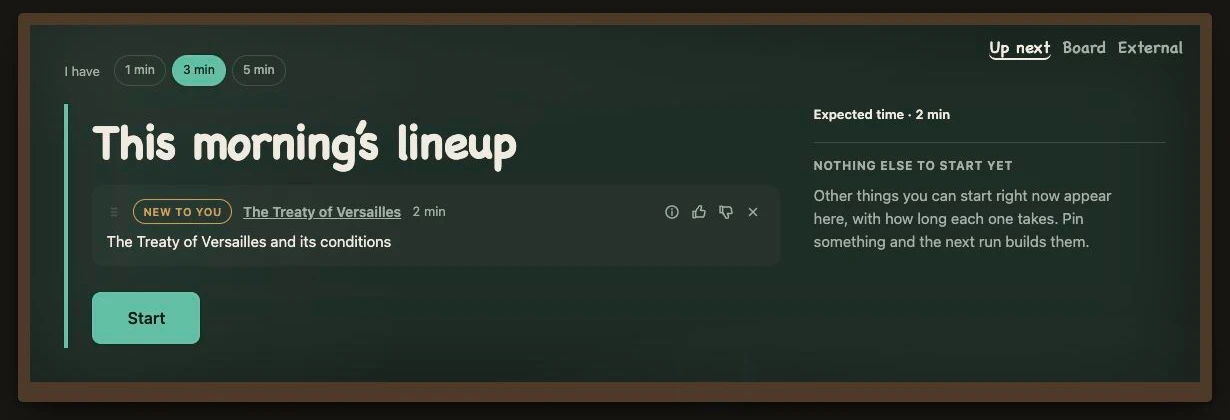
The rest of your collection stays on your Board. If nothing is ready to learn, Virgil says so.
From saved to understood
A pin is the beginning,
not another thing to finish.
Save it where you find it. While you are away, Virgil looks for gaps in your learning, revisits your material and prepares the next lesson.
-
Keep the part that matters
Highlight a passage and pin it with the Chrome extension. Virgil keeps the source with it and confirms the save in the side panel.
Example · studying databasesYou save an explanation of Firestore indexes because you keep getting stuck on when to use them.
-
Turn a spare moment into a lesson
Get a Quick take beside the page, or open Learn and choose one, three or five minutes. Virgil prepares a lesson, recall check or action for that time.
Three minutes laterYou have worked through the rule. But recognising the cases where it applies is still hard.
-
Tell it what is still missing
Your answers and corrections feed the next lesson. Finishing a session does not automatically mean you have mastered the topic.
Your correction“I know the rule. I miss the boundary cases.”
The next lesson starts with those cases.
Illustrative example, not a recorded learner session. Read the step-by-step guide ↗
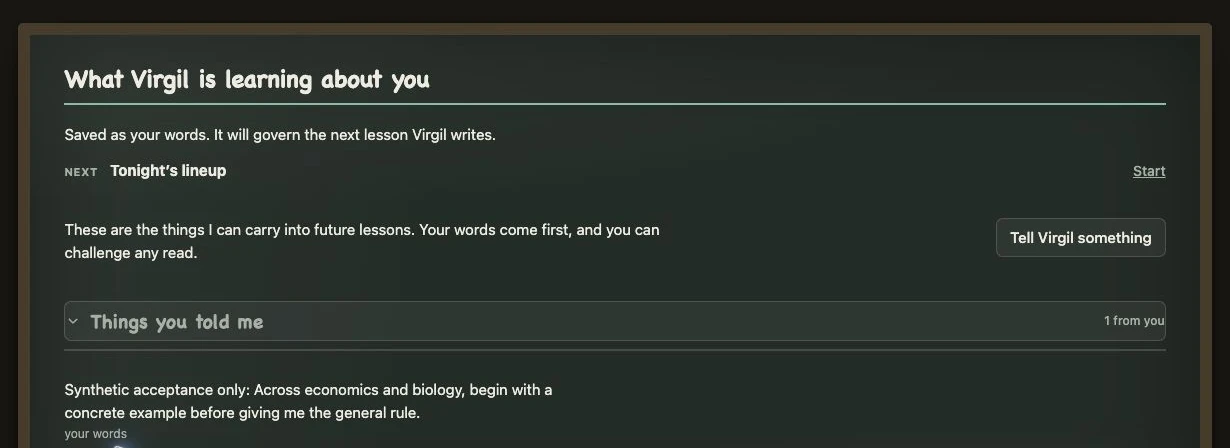
Your words come first
An assumption about you
should be yours to correct.
Insights separates my read, what Virgil thinks, from your words, what you told it. You can confirm, correct or reject its read. Your correction guides the next lesson.
Keep the source in sight
The lesson has to earn your trust, too.
Lessons keep the source visible. Virgil checks the guidance it generates and can withhold instructions that the source cannot support. If the check is unavailable, it reports that.
What that looked like in a test
In a drumming test, a short passage described a grip but could not support invented angles, timings or body positions. Virgil withheld those instructions and asked for an observation grounded in the passage.
How Virgil teaches ↗Room for the bigger plan
One lesson now.
The whole picture when you need it.
Courses, sources and deadlines still have a place. Open your Board to revisit what you saved, or Plan to see your commitments and study days together.
Bring in course material, record learning from elsewhere, and review the work Virgil proposes before adding it to your studies.
See how to manage your studies ↗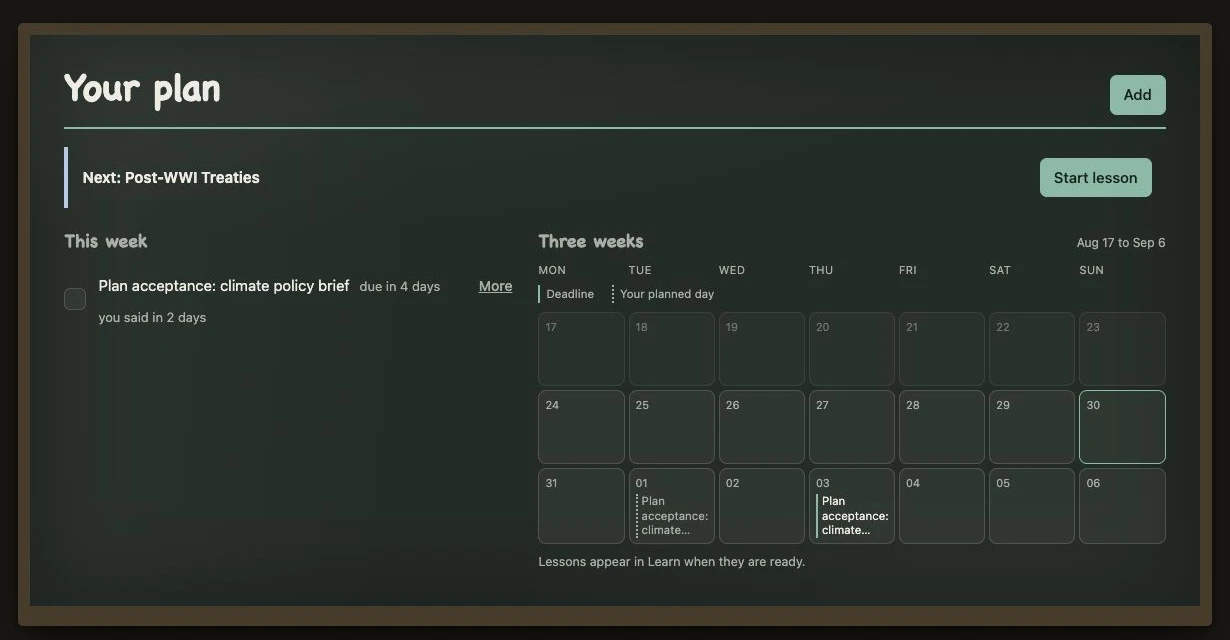
Run your own Virgil
Your learning.
Your installation.
Virgil is open source and available to install. There is no public hosted sign-up or browser-store listing.
Before you start
- Setup
- Your own Google Cloud and Firebase project, model credentials, and the Chrome extension.
- Running costs
- You pay for the cloud infrastructure and model usage on your installation.
- Control
- Choose models, set spend and privacy controls, and decide who can join. Each learner has a separate board.