 Cimmich
Same photo, same memory
Unchanged photos can reconnect after paths or Immich IDs change.
Community Preview 18 Exact Immich 3.1.0 Local-first · Source ↗
The private memory layer for Immich
Connect the people, places and stories you remember, then use those connections to find the photos that matter.
A separate app you self-host with Docker beside Immich. Your connections live in Cimmich's database. It never writes changes back to Immich or your original photos.
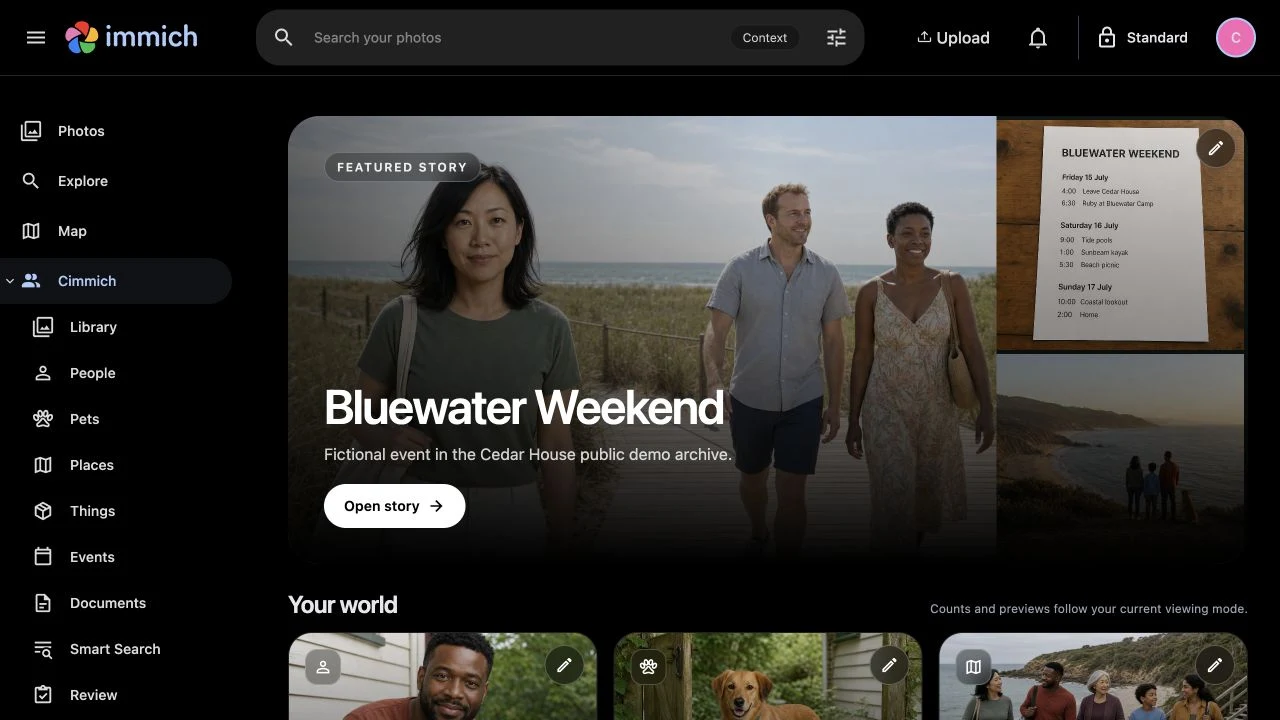
Cedar House demo · Fictional people and stories
The story is already in your archive
Select a screenshot for a closer look.
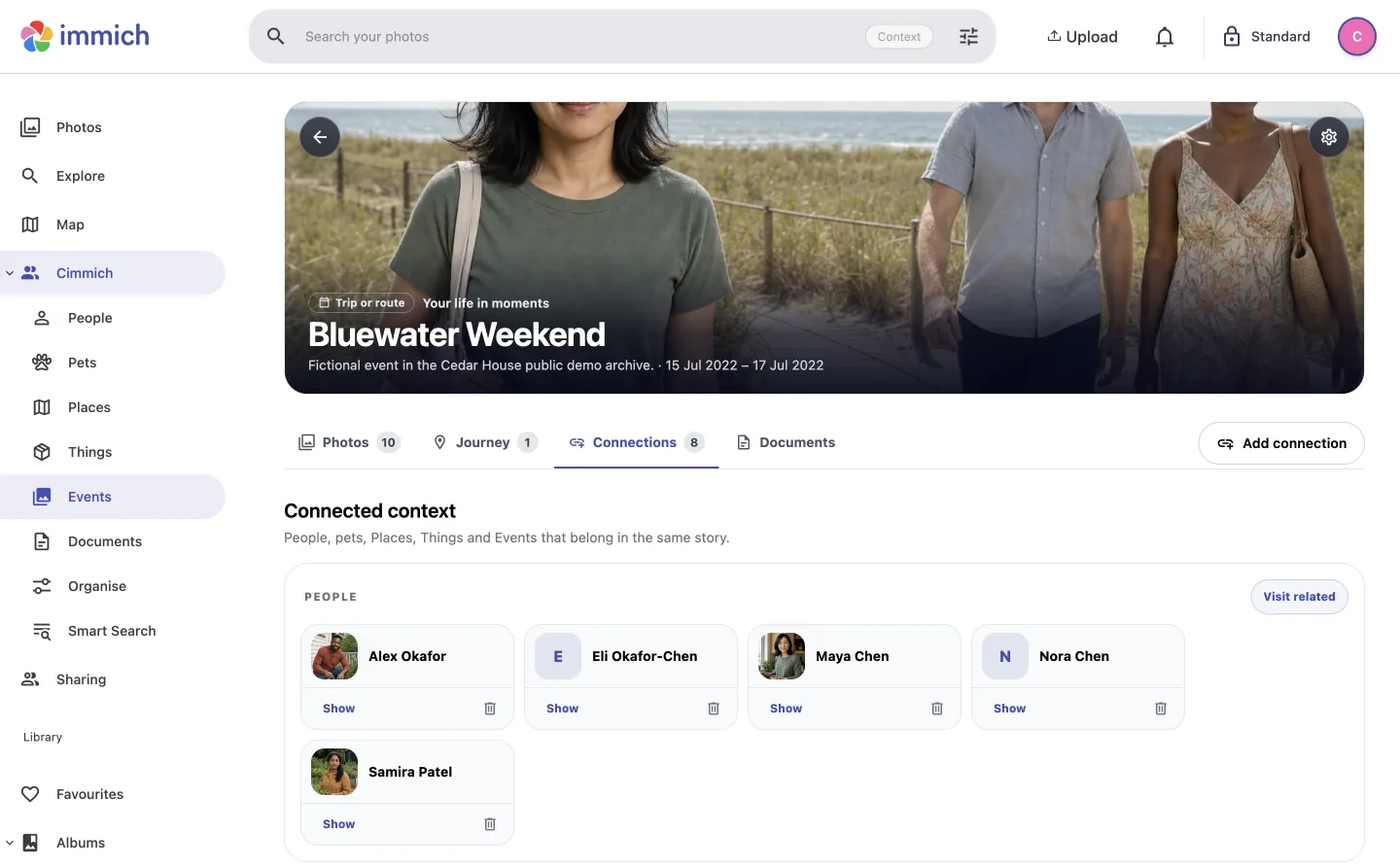
Bluewater Weekend brings its photos, journey, people and documents together in one place to return to.
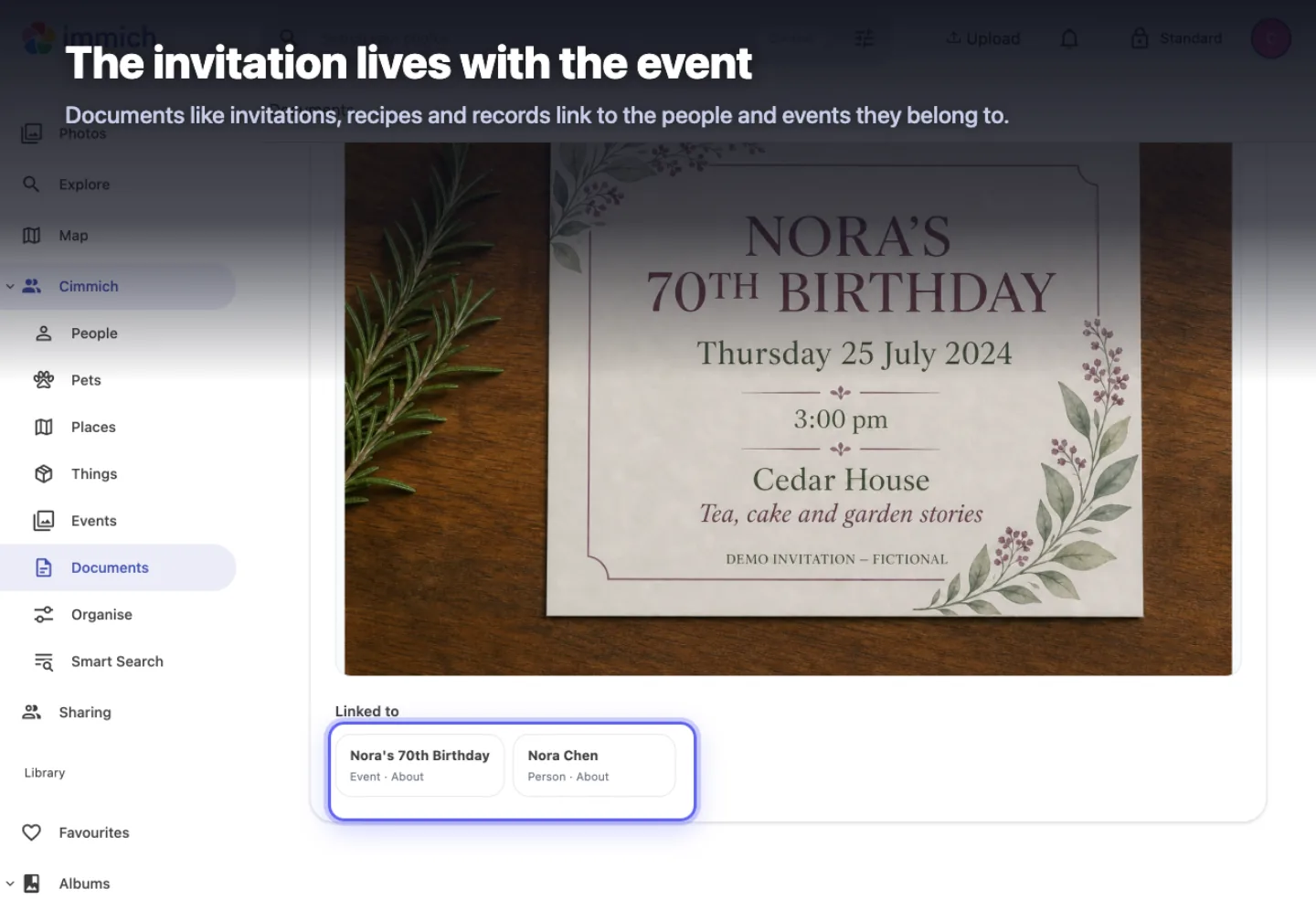
Nora's invitation stays linked to both Nora and her birthday, where it can be found from either.
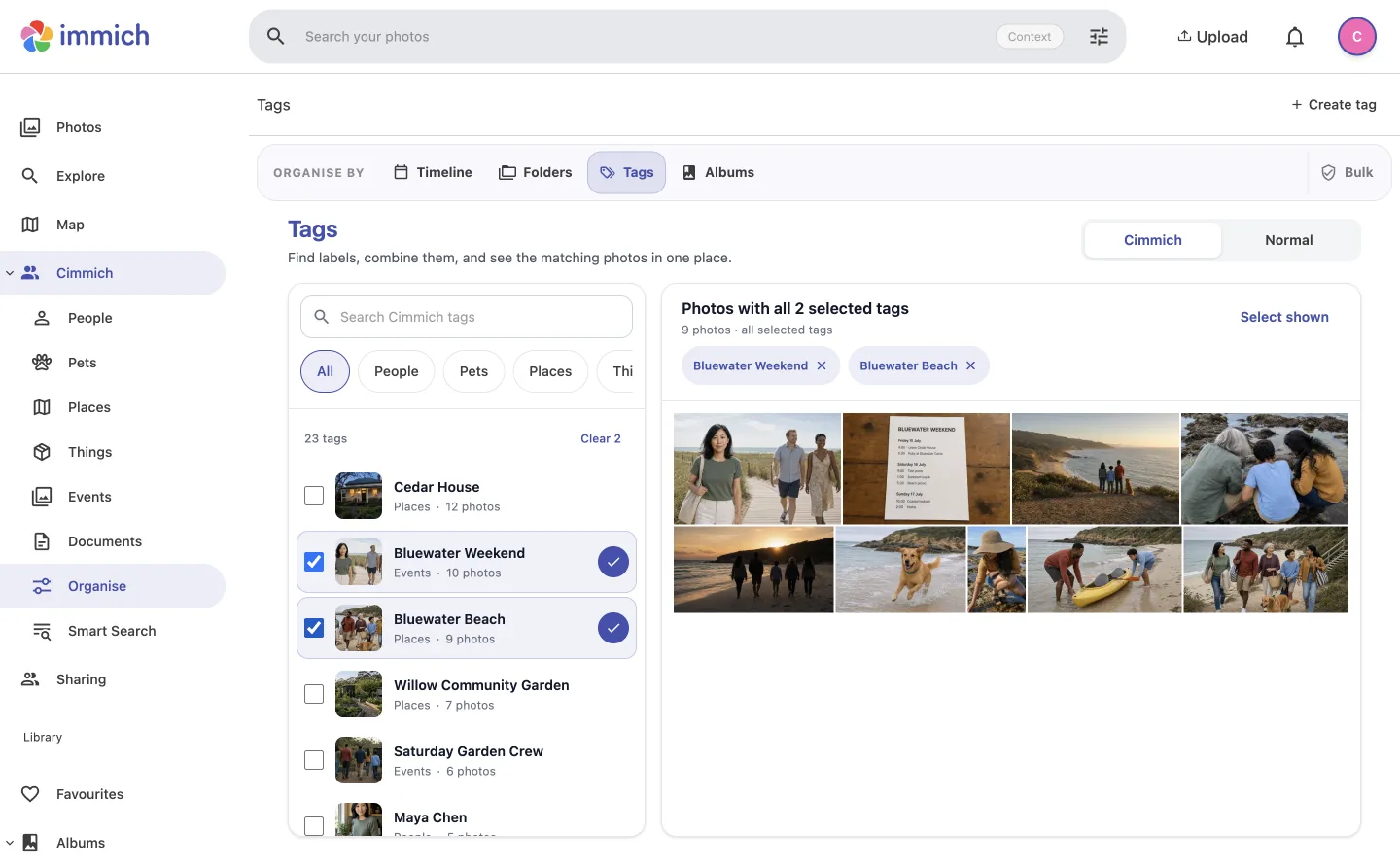
Bluewater Weekend plus Bluewater Beach narrows the archive to the nine photos that belong to both.
Matching that learns from your decisions
You know who belongs in your photos. Cimmich uses the faces you confirm to look for more, and leaves each decision with you.
Confirm the person, choose someone else or leave the photo for later.
Cimmich rebuilds its matching evidence from your confirmed faces, then searches again.
Review any new possibilities or doubtful tags. If nothing else is ready, return after adding more evidence.
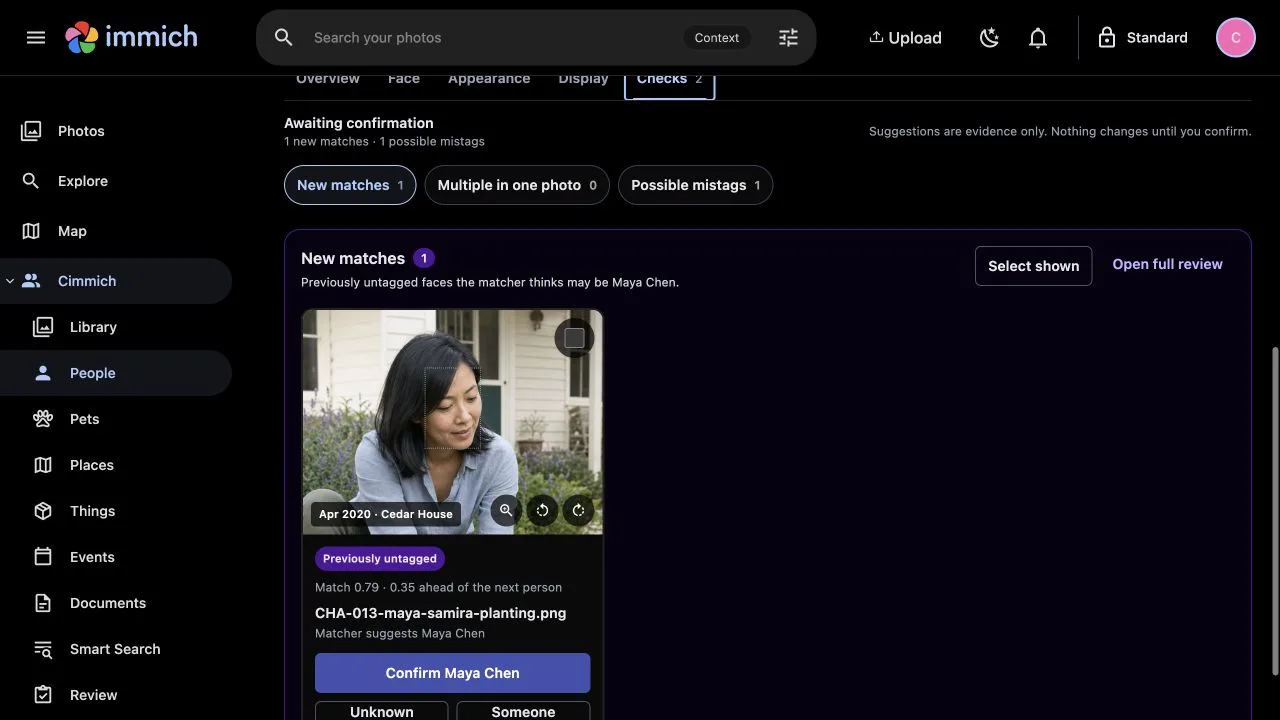
Face matching needs a local Face-analysis provider and separately installed model files. Stories, documents and other organisation tools work without it.
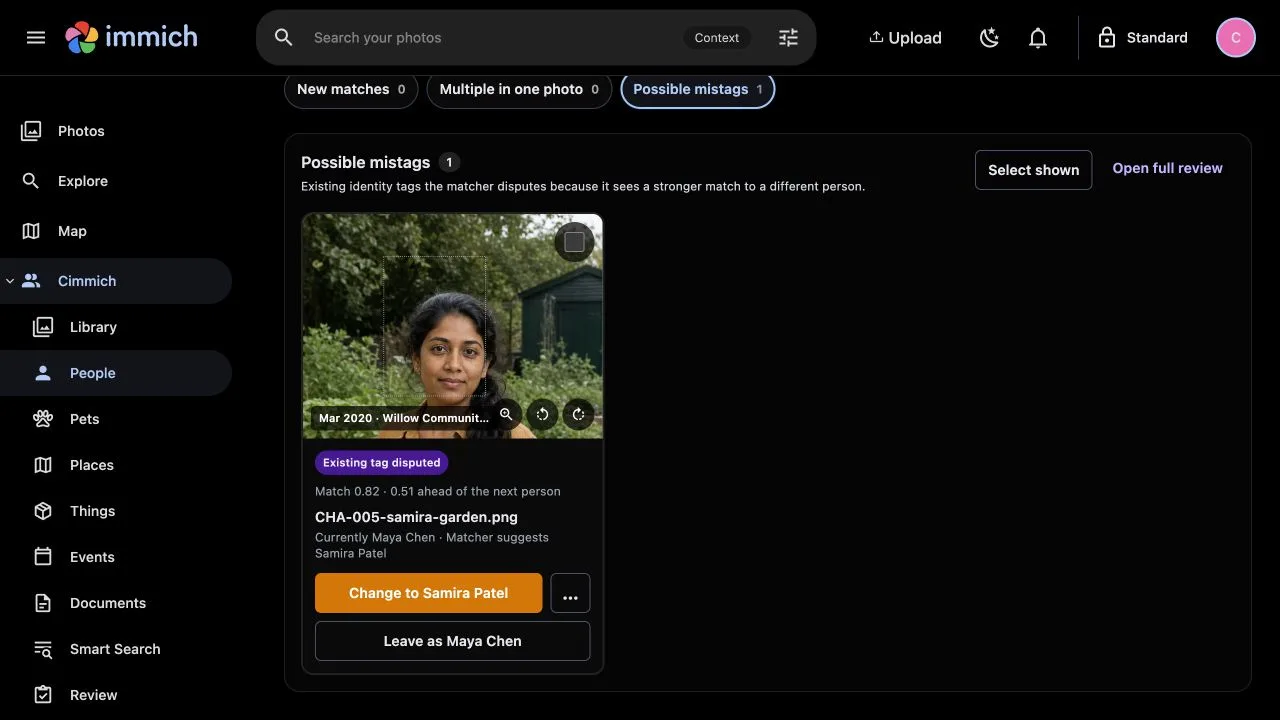
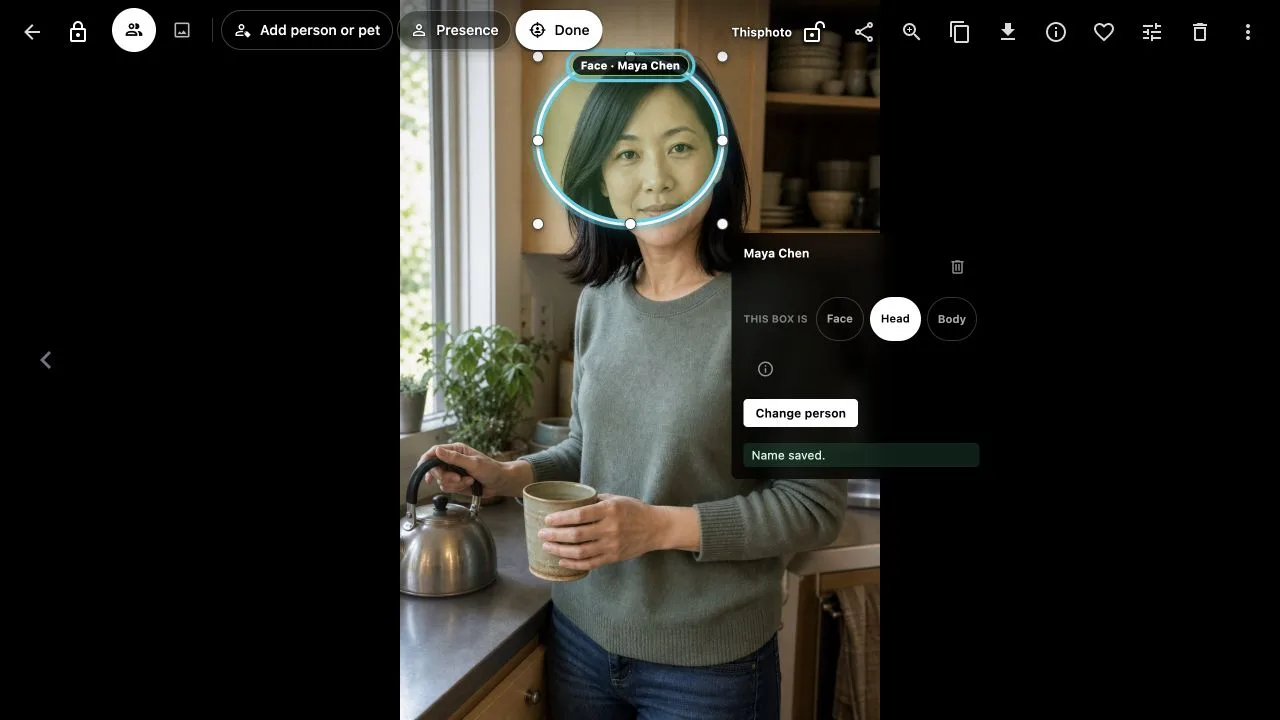
These fictional demo photos show the workflow, not a measure of matching accuracy.
Your knowledge should outlive one install
Cimmich reconnects unchanged photos by their contents, not only by where they live today. Move files or rebuild Immich and the people, events, places and documents you added can reconnect after a new inventory.
Keeps authentication, original media, thumbnails and its own library metadata.
Keeps the people, stories, decisions and documents you add in a separate database.
Cimmich stores its own organisation. It does not write albums, tags, metadata or media back into Immich.
Unchanged photos can reconnect after paths or Immich IDs change.
A changed file becomes a new asset instead of inheriting context automatically.
Export Cimmich's database and linked documents without copying original media.
Community Preview 18
Preview 18 requires exact Immich 3.1.0. The guided install has been tested on macOS and Linux Docker hosts; Windows has not yet been tested. Start with a no-change check of your setup, then install when the account, library and scope look right.
Prefer to explore without your own photos? The isolated Cedar House demo runs locally with fictional media. About the local demo.
Open a terminal in the extracted release folder, then run:
Kourai Khryseai
Cimmich began with a simple idea: your photo library should remember more than filenames and faces. It’s one of the projects taking shape at Kourai Khryseai.
Explore Kourai Khryseai